Why Tattoo Artists Need a Connected Booking System
Your apps may each work. The frustrating part is keeping every booking in sync.
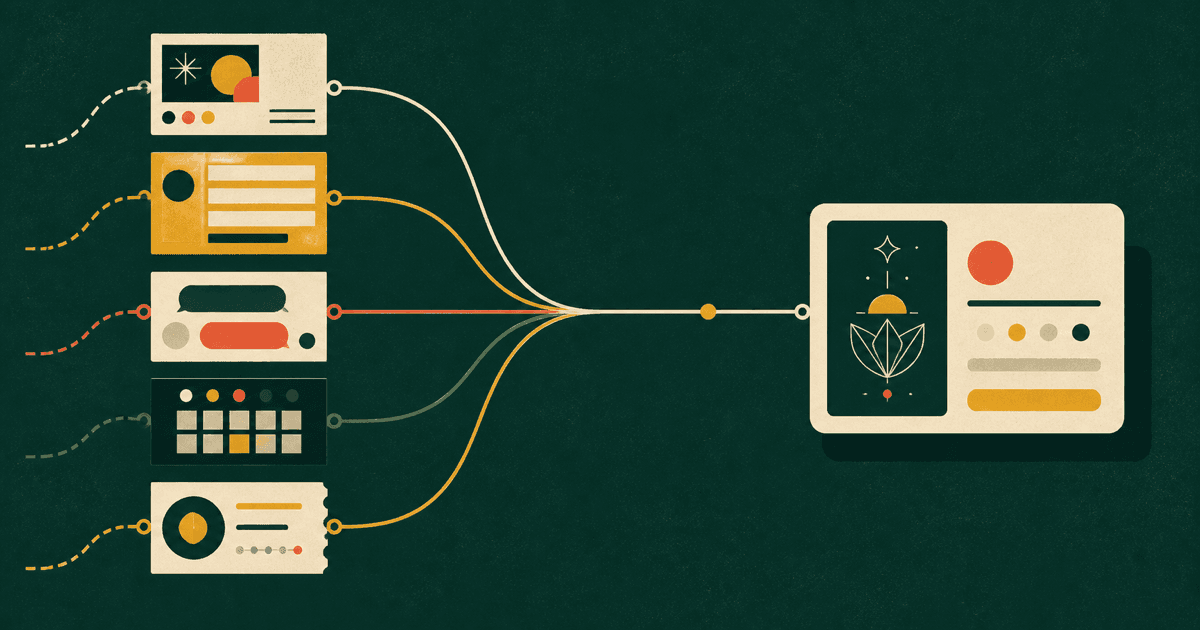
Connected tattoo booking software keeps an enquiry, reference images, messages, proposed dates, calendar status and deposits attached to one booking workflow. You can see what has happened and what needs to happen next without rebuilding the story across separate apps.
Without that connection, the idea may sit in a form, the conversation in your messages, the date in your calendar and the deposit in a payment app. Each tool can work well on its own while leaving you to hold the full booking together.
The real cost
Your apps work. You still do the joining.
Copying a client's name into your calendar takes a minute. So does finding the reference image they sent last week, checking whether the deposit matches the appointment and working out who is still waiting for a reply.
None of those jobs feels big on its own. They become frustrating when you repeat them for every enquiry—especially when you are trying to finish the day, prep tomorrow's work or get away from your phone.
The problem is not that you use several tools. It is that you have to remember what happened in every one of them.
One booking, one clear picture
What does connected tattoo booking software keep together?
A connected booking system keeps the useful details together as the enquiry moves forward. The idea, placement, references, messages, proposed date and payment details are easier to follow.
Open the booking and you can see where it stands and what needs to happen next without checking several apps first.
When everything is separate
- Details live in different places
- You work out the status yourself
- References and replies are easy to lose track of
When the booking is connected
- The details stay with the booking
- The next step is clear
- You stay in control of the process
Keep discovery, organise what follows
Instagram can bring people in without running the whole booking
Instagram lets clients see your work, understand your style and decide whether you might be the right artist for their idea. It does not need to disappear from your process.
But serious enquiries need more structure than a busy inbox can give them. A tattoo-specific Link in Bio and booking form gives interested clients a clear next step and gives you the details you need before the back-and-forth begins.
Where Canory fits
Give each booking one place to move forward
Artist Free gives you a tattoo-specific Link in Bio and public booking and message forms. Instead of squeezing an idea into a DM, clients get a clear place to send the details you need.
Artist Pro adds booking and calendar management, automatic appointment reminders, deposit payments and Canory Inbox, which helps keep the conversation connected to the booking. You have one place to work from instead of moving the same details between separate tools.
Your calendar stays yours.
You choose whether a studio can use your schedule through your Canory relationship settings. Working with a studio does not mean giving up control of your calendar.
A fair comparison
You do not need to replace a tool that earns its place
Keep a specialist calendar, payment app or messaging tool if it solves an important problem and the rest of your process still feels simple. A connected system becomes worth considering when you keep copying the same details or struggle to find the latest information. The goal is not to use the fewest apps. It is to make each booking easier to manage.
A five-minute check
Follow one recent booking from start to finish
Choose one booking from the past month. Start with the first message and follow it through to the confirmed appointment. Ask:
- How many places did you check before you had the full picture?
- Which details did you copy from one app into another?
- Could you tell straight away whether the booking was confirmed?
- Could you find the reference images and deposit status quickly?
- What only happened because you remembered to follow up?
If that booking sent you back and forth between several places, you have found the part of your setup worth improving. Look for fewer steps that depend on copying, searching and remembering.
Common questions
Tattoo booking software, explained simply
- What does tattoo booking software do?
- Tattoo booking software keeps enquiry details, reference images, messages, proposed dates, appointment status and deposits connected as a booking moves forward. It gives artists a clearer view of what has happened and what needs to happen next.
- Who benefits from connected tattoo booking software?
- Independent tattoo artists benefit when bookings are spread across DMs, forms, calendars and payment apps. Studios can also use connected software to organise enquiries, bookings and artist schedules while respecting each artist’s control over their calendar.
- Does tattoo booking software replace Instagram?
- No. Instagram can remain a useful place for clients to discover an artist’s work. Tattoo booking software gives serious enquiries a structured next step, so the details needed for a booking do not have to stay inside DMs.
- Do I have to replace my calendar or payment app?
- Not necessarily. Keep a specialist calendar or payment app if it earns its place. A connected booking system becomes useful when copying details, searching across tools and remembering follow-ups create more work than the separate tools save.
The takeaway
Make the booking easier to follow
- Keep using Instagram to show your work and attract the right clients.
- Give serious enquiries a structured place to go next.
- Keep the details, conversation, date and deposit easier to find.
Give your next enquiry a better place to land.
Create your free Canory Link in Bio and tattoo booking form. Give clients a clear way to share their idea and give yourself a more organised place to start.